
What DMX and control options should LED strobe lights have?
- 1) What DMX channel configuration prevents camera-visible flicker when using LED strobe light fixtures for broadcast or high-speed filming?
- 2) How should I use RDM and firmware management to stop unpredictable timing or addressing problems in LED strobe light networks?
- 3) For large pixel-mapped strobe banks, which DMX and Ethernet protocols should I require and how do I calculate channel/universe needs?
- 4) What wireless DMX reliability and latency issues matter for synchronized strobing across large venues, and how do I avoid dropouts?
- 5) How do I configure duty cycle and maximum strobe frequency to avoid LED overheat and driver failure on stage strobes?
- 6) Which control interfaces should an LED strobe light include for easy integration with modern AV systems (hardware triggers, MIDI, Ethernet, etc.)?
What DMX and Control Options Should LED Strobe Lights Have? 6 Pro Answers
When specifying or buying LED stage strobes, the control system and DMX options determine whether a rig performs reliably for live shows, film, or installation. Below are six specific, technical questions beginners and intermediate buyers often ask — each with an in-depth, actionable answer.
1) What DMX channel configuration prevents camera-visible flicker when using LED strobe light fixtures for broadcast or high-speed filming?
Problem: Many LED strobes produce visible or rolling-shutter flicker on video even when they look fine to the naked eye. This becomes a major pain point for rental houses and A/V teams working with broadcast cameras or high-frame-rate capture.
Answer (in-depth):- Why flicker happens: Most LED fixtures use PWM-based drivers. PWM frequency, the fixture’s internal strobe engine, and the external DMX update method together determine perceived flicker. DMX512 packets are sent at a relatively low frame rate (commonly ~30–44 packets/sec) which is fine for steady dimming but not for camera-safe strobing if the strobe is driven purely by DMX intensity changes.- Best-practice fixture features to demand: - Onboard strobe engine: Choose fixtures that generate the strobe effect internally (an internal microcontroller and PWM at tens of kHz). This decouples strobe timing from DMX packet refresh and avoids packet jitter causing uneven flash timing. - Selectable or high PWM frequency: Look for PWM frequencies >=20 kHz (many professional fixtures offer 10–30 kHz ranges). 20 kHz is a practical threshold to eliminate visible flicker to most cameras and human eyes; for very high-speed or ultra-low-shutter imaging, look for user-configurable PWM up to 30–40 kHz or a non-PWM (analog) driver option. - Camera mode: Some fixtures provide a dedicated camera/video mode that raises PWM frequency and employs spread-spectrum/pulse dithering to minimize rolling-shutter artifacts.- Control recommendations: - Use the fixture’s internal strobe channel (i.e., a DMX value that sets an internally-generated strobe rate and duty) rather than rapidly toggling intensity over DMX. - When integrating with consoles, set the strobe channel to a fixed strobe rate and control intensity separately so DMX packet jitter won’t modulate the flash timing.- Validation steps on site: Test strobes with the actual camera (frame rate & shutter speed used) before the event. If flicker persists, increase PWM frequency, enable camera mode, or use fixtures with better drivers.Real-world note: Manufacturers specify PWM frequency, camera mode, and onboard strobe behavior in datasheets—ask for these figures. If a spec is missing, require a demo with a camera to verify ‘camera-safe’ operation.
2) How should I use RDM and firmware management to stop unpredictable timing or addressing problems in LED strobe light networks?
Problem: In complex rigs, devices sometimes respond inconsistently — wrong addresses, unexpected strobe timing, or behavior changes after a network reconfiguration.
Answer (in-depth):- What RDM solves: RDM (Remote Device Management, USITT E1.20) provides bi-directional communication over the DMX line. It lets you discover devices, read model/firmware, change addresses, and read sensor data without walking the stage.- Practical procedures: - Always inventory firmware versions during pre-rig. Use RDM discovery from a console or an RDM-capable software tool to list devices and firmware revisions (model ID, device label, current DMX address). - Standardize firmware: For synchronized behavior (especially strobe engines), ensure fixtures run the same firmware build—different firmware can change default strobe engines and internal timing. - Use RDM to read thermal/driver warnings: RDM-capable fixtures can expose temperature, input voltage, and error states. Monitor these values remotely to avoid sudden performance drops during strobe bursts.- Avoiding timing issues across merged DMX sources: - Don’t drive the same fixture from multiple controllers unless you understand the merge logic. Art-Net or sACN to DMX nodes can create conflicting streams if not mapped correctly. Use merge priorities and a single authoritative source for strobe channels.- Deployment tip: If a fixture misbehaves after a firmware update, roll back or test updates on a small subset before mass deployment.References: RDM is an industry standard (USITT E1.20) and is widely implemented by professional LED fixture manufacturers to reduce on-site troubleshooting time.
3) For large pixel-mapped strobe banks, which DMX and Ethernet protocols should I require and how do I calculate channel/universe needs?
Problem: Buyers under-estimate channel requirements and choose only DMX512 when the rig needs hundreds of synchronized strobe fixtures and pixel mapping.
Answer (in-depth):- Protocols to prefer: - DMX512 (USITT E1.11) for smaller setups or direct fixture control. - Art-Net and sACN (E1.31) for large networks: they carry many DMX universes over Ethernet and are standard for pixel mapping and media servers. - Consider RDM on DMX nodes if you need remote device management.- Channel math and examples: - Find the per-fixture channel count from the datasheet (e.g., a basic strobe may use 2 channels: master intensity + strobe rate; a color strobe could use 4–8 channels for RGBW and effect parameters). - DMX universe capacity: 512 channels per universe. - Example calculations: - If a strobe fixture uses 4 channels, one universe controls floor(512/4)=128 fixtures. - If your rig needs 500 fixtures at 4 channels each → 500 × 4 = 2,000 channels → 2,000 / 512 = 3.906 → round up to 4 DMX universes. - For pixel-addressable banks (addressable pixels inside a single fixture), channel counts can be much higher (e.g., 3 channels per pixel × number of pixels); consider using Art-Net or sACN nodes that directly map pixels to universes.- Practical wiring & topology: - Use Art-Net/sACN from your console/media server to Ethernet-to-DMX gateway nodes located near fixtures. This reduces long DMX runs and simplifies universe distribution. - Terminate DMX runs and use opto-isolated splitters where necessary to protect the console and reduce ground loops.- Performance tip: For tight synchronization across many strobes (frame-accurate effects), prefer Ethernet distribution (Art-Net/sACN) with a central timing master (media server or console) rather than long chains of DMX splitters.Make sure to request a channel map and an example universe plan from the manufacturer or rental house to verify your channel budgeting before purchase.
4) What wireless DMX reliability and latency issues matter for synchronized strobing across large venues, and how do I avoid dropouts?
Problem: Wireless links introduce latency, jitter, and packet loss that cause strobe desynchronization — especially painful when strobes are meant to flash in tight visual sync for concerts or façade work.
Answer (in-depth):- Wireless technologies to consider: LumenRadio CRMX and Wireless Solutions (W-DMX) are common professional systems. They use spread spectrum techniques, channel hopping, and diversity to improve reliability.- Key metrics and their impact: - Latency: Typical wireless DMX latency is low (single-digit milliseconds), but variability (jitter) matters for visual sync. For concert strobes you want sub-5 ms consistent latency between transmitter and receivers. - Packet loss: Loss leads to frozen frames or missed updates. High-refresh effects (fast strobe engines) are more sensitive to packet loss. - Range and line-of-sight: Wireless DMX performs best with clear line-of-sight. Physical obstacles and RF noise (Wi-Fi, Bluetooth, other 2.4 GHz devices) reduce reliability.- Best practices for reliable synchronized strobing: - Use professional-grade wireless DMX (CRMX/W-DMX) with antenna diversity (dual antennas) and rack-mount transmitters. - Dedicate frequency bands or move to 5 GHz where available to avoid 2.4 GHz congestion. Confirm regulatory compliance for your region (some bands may be restricted). - Use multiple receivers and split the load: group fixtures into clusters, each with a receiver; synchronize cluster timing from the same transmitter. - Provide wired redundancy where possible: critical strobes should have a backup wired DMX path or a second wireless link with higher priority. - Monitor RSSI and link quality during tech rehearsals. If you see degradation, adjust antenna placement or switch to wired DMX for critical channels.- Alternative: For absolute timing accuracy, run Art-Net/sACN over fiber or shielded Ethernet. Ethernet delivers highly deterministic performance compared to RF in crowded RF environments.Operational tip: Include spare wireless units and antennas in your kit. Wireless conditions vary by venue; always test under show conditions and keep a hard-wired fallback plan for critical strobe cues.
5) How do I configure duty cycle and maximum strobe frequency to avoid LED overheat and driver failure on stage strobes?
Problem: Pushing strobes at maximum speed and 100% duty for extended periods can cause LED junction over-temperature and driver stress. Many buyers assume LEDs are immune to heat issues — they’re not.
Answer (in-depth):- Understanding duty cycle: Duty cycle is the percentage of time the LED is on during a strobe cycle (e.g., at 10% duty and 10 Hz, the LED is lit for 10 ms out of each 100 ms). High duty cycles and high flash rates increase average power and heat.- What to check on spec sheets: - Rated maximum strobe frequency and recommended duty cycle (e.g., max 20 Hz at 10% duty, or burst mode with a specified recovery time). - Thermal protection: thermal sensors, automatic dimming or strobe rate reduction when temps rise. - Driver type: constant-current drivers with proper heat-sinking and inrush control handle strobes better than undersized drivers.- Practical configuration and guidelines: - Use the manufacturer-specified duty cycle limits. If you can’t find them, assume conservative limits: keep duty below 20% for prolonged operation at high flash rates. - For heavy strobe usage (concert finales, repeated bursts), use fixtures that explicitly rate a “burst mode” or have reinforced thermal management and specify maximum burst durations and cool-down times. - Track cumulative thermal load: use RDM if available to monitor internal temperature after strobe bursts and program automated cooldown sequences in the console.- Engineering safeguard: Many pro fixtures implement current limiting and thermal derating. Prefer fixtures that provide documented thermal derating curves and clearly stated maximum continuous vs burst usage.Recommendation: If your show requires frequent full-power strobing, purchase fixtures with over-spec heat-sinks, active cooling, or those explicitly marketed for high-duty strobe performance to avoid mid-show failures.
6) Which control interfaces should an LED strobe light include for easy integration with modern AV systems (hardware triggers, MIDI, Ethernet, etc.)?
Problem: Integrators find fixtures that lack necessary control interfaces (no trigger input, no Ethernet, or non-standard connectors) and then must add converters or custom hardware under time pressure.
Answer (in-depth):- Essential control interfaces to require: - DMX512 input/output (5-pin XLR preferred) with opto-isolation for reliability. - RDM support for remote device management (setting addresses, checking health). - Art-Net and sACN compatibility via Ethernet (direct or via gateway nodes) for large networks and pixel mapping. - Wireless DMX compatibility (CRMX/W-DMX) as an option for towers and hard-to-cable positions.- Useful additional inputs and protocols: - Discrete trigger input (3.5 mm jack or BNC, dry contact, or TTL) for show systems that use a hard contact closure or external sequencer to trigger strobes with minimal latency. - MIDI or SMPTE/LTC sync inputs (or an external converter) for synchronization with show timelines, playback systems, or audio-to-light mapping. - Ethernet for firmware updates and remote diagnostics (many manufacturers allow updates via USB or network). - GPIO or DMX-merging devices for integration with house automation systems.- Mapping and interoperability tips: - Request a clear DMX channel map and documentation for all control inputs. That reduces surprises when you map consoles or media servers to fixtures. - Ensure your console or show controller supports the protocols you plan to use (e.g., most modern consoles handle Art-Net and sACN; some older desks require Art-Net gateways).- Practical kit advice: Include a small converter box (MIDI-to-DMX, SMPTE LTC-to-DMX) in your toolbox if you routinely bridge audio/playback systems to lighting strobes.Buyer's checklist: DMX + RDM + Ethernet (Art-Net/sACN) + optional wireless + trigger input = broadest integration coverage for contemporary productions.
Concluding summary: Choosing LED strobe lights with the right DMX and control options dramatically reduces setup time, avoids camera flicker, improves synchronization across large rigs, and prevents heat-related failures. Require internal strobe engines with selectable PWM/camera modes, RDM support and firmware management, Art-Net/sACN for large-universe pixel mapping, professional wireless DMX options with antenna diversity, clear duty-cycle/thermal specs, and a broad set of control interfaces (DMX, trigger, MIDI/SMPTE, Ethernet). These features deliver reliability, flexibility, and safety for live shows, broadcast, and installations.
Advantages of specifying the right LED strobe light controls include tighter sync across fixtures, predictable camera-safe behavior, remote diagnostics, safer thermal operation under heavy strobe use, and smoother integration with modern consoles and media servers. For a tailored recommendation and a quote, contact us for a quote. Visit www.litelees.com or email litelees@litelees.com.
Company
Do you have your own factory?
Yes. We own a sheet metal factory and a complete in-house production line—from PCB to final assembly—ensuring strict quality control and fast delivery.
What certifications do your products have?
All LiteLEES products are certified by CE, RoHS, FCC, and BIS. Our factory is ISO9001 quality management system certified.
Where is LiteLEES located?
Our headquarters and manufacturing facility are located in Guangzhou, China, with products exported to over 70 countries worldwide.
Products
How long is the warranty period for your products?
We offer a standard 1-year warranty on all products, with extended warranty options available upon request. During the warranty period, we provide free technical support and parts replacement for non-human damage.
Do your lights support DMX512 and other control protocols?
Yes. All LiteLEES stage lights are fully compatible with DMX512. Many models also support RDM, Art-Net, and wireless DMX (optional), ensuring seamless integration with modern lighting control systems.
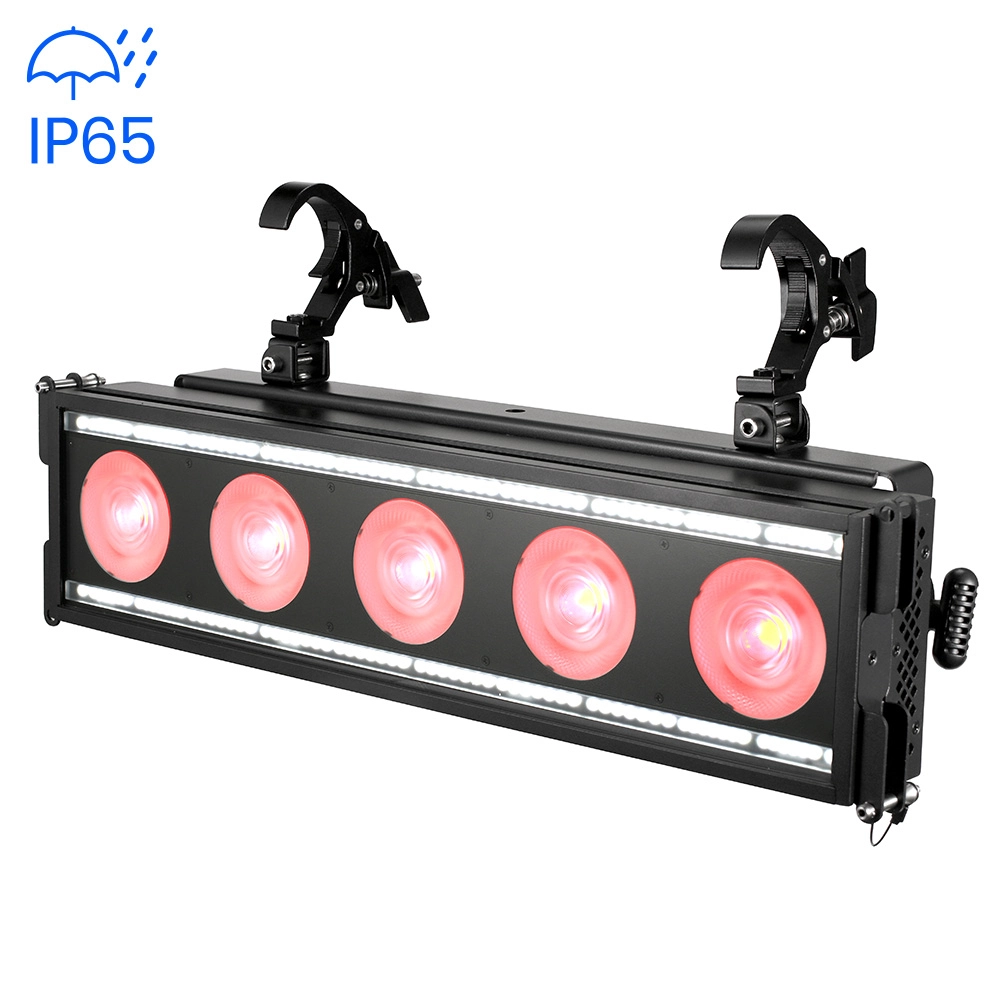
Stormy Flash 550 lP
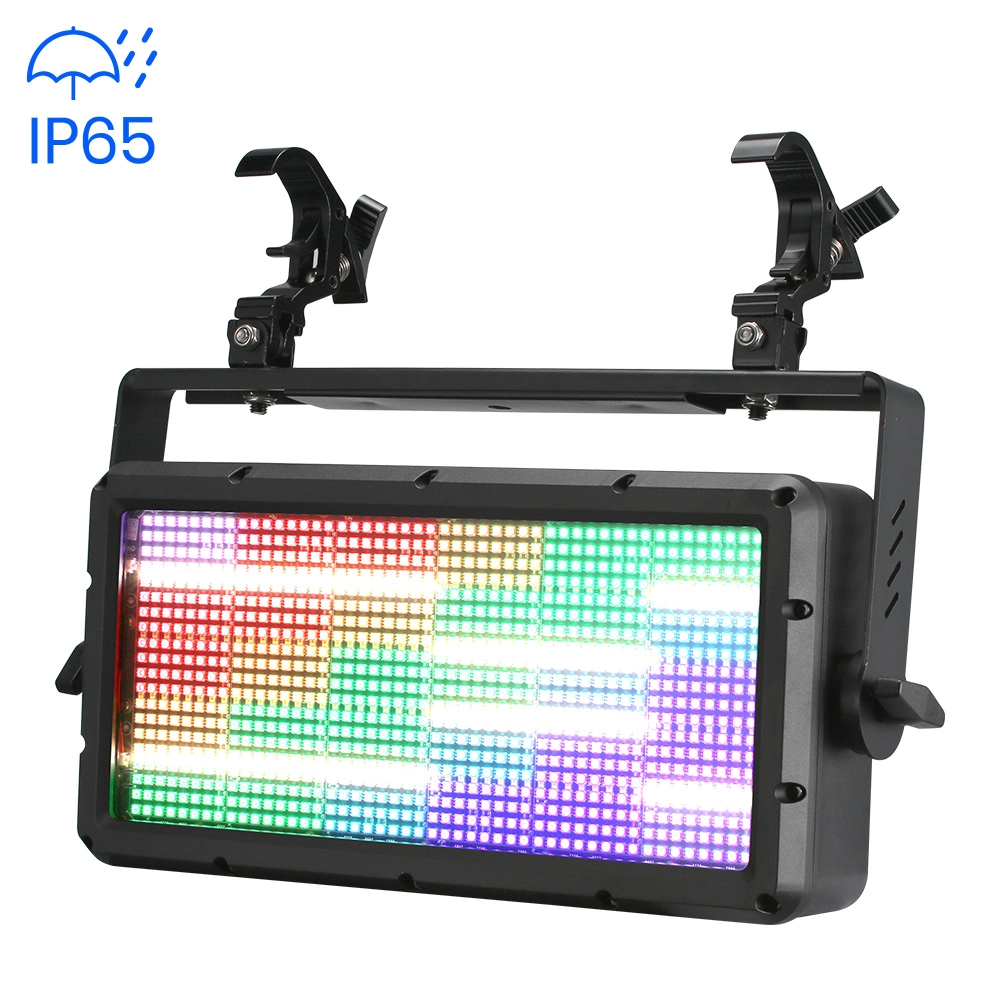
Stormy Strobe 700 IP
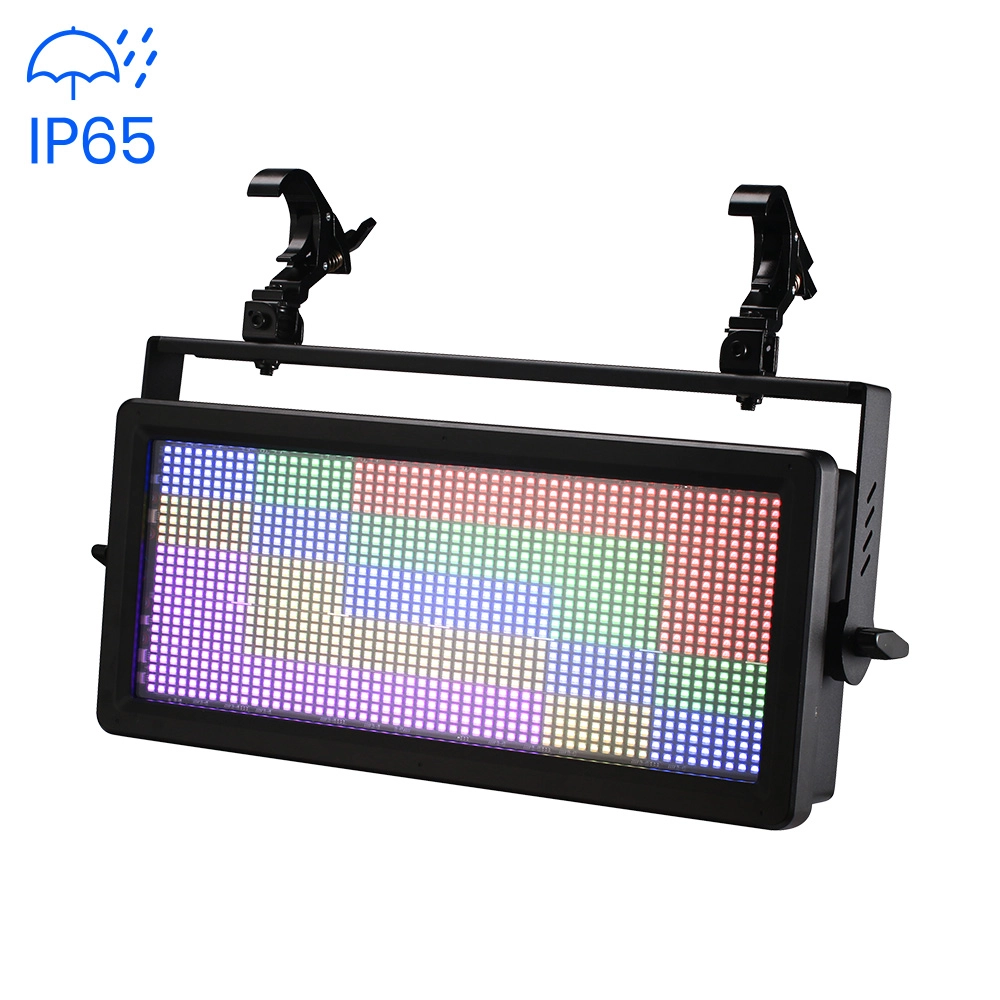
Stormy Strobe 500 IP
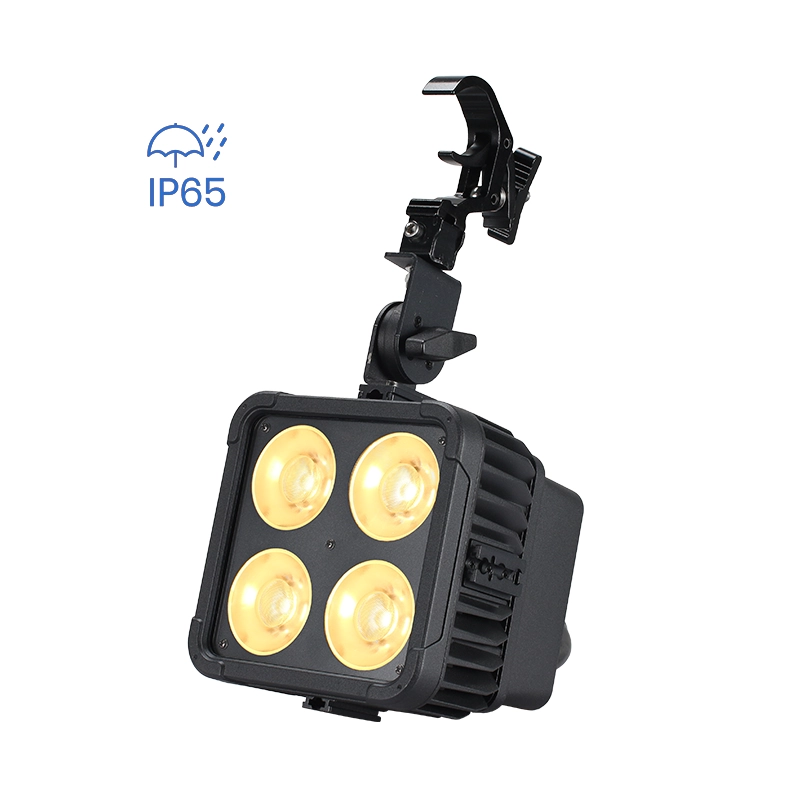
Magic Cube V8 IP
Want to get more up-to-date news?
If you have any comments or good suggestions, please leave us a message; later our professional staff will contact you as soon as possible.

We are professional stage lighting manufacturers offering OEM and ODM LED stage lights.
Contact
Email us
Call us
Address
No.6 Longnan Road, Huashan Town, Huadu District Guangzhou, Guangdong Province, China.
LiteLEES Professional
Less Lighting