
How to choose RGB LED lights for professional stage setups?
- 1) How do I calculate the required lumen/lux and choose beam angle for a 10m × 8m stage wash versus front spot positions?
- 2) How can I prevent flicker and camera banding when filming LED stage lights (including high-frame-rate cameras)?
- 3) What's the correct way to size power and data for RGB LED pixel strips (WS2812/APA102) for a 30m run without color drop or data corruption?
- 4) How can I ensure consistent color temperature and Delta‑E matching across fixtures from different manufacturers or production batches?
- 5) How do I calculate DMX addressing and choose between DMX512 universes, Art‑Net and sACN for a rig of 200 RGB pixels and 50 moving heads?
- 6) Should I choose RGB, RGBW, or RGBA (amber) fixtures for accurate skin tones, saturated colors and flexible white reproduction?
Author: Litelees — professional LED stage lighting manufacturer and system integrator. This guide answers six specific, technical questions beginners and small production buyers often ask when selecting rgb led lights, LED fixtures, pixel strips, and control systems for live and filmed events. Recommendations are based on industry norms (DMX/ANSI E1.11, broadcast production needs), typical component specs and real-world engineering rules of thumb. For a customized quote or product spec sheet, contact us at www.litelees.com or litelees@litelees.com.
1) How do I calculate the required lumen/lux and choose beam angle for a 10m × 8m stage wash versus front spot positions?
Why it matters: Manufacturers list lumens and beam angle, but comparing fixtures without converting to lux at working distance produces poor purchases. Lux (illuminance) and beam spread determine how much usable light reaches performers and the audience.
How to calculate (practical steps):
- Ask the vendor for photometric data: total luminous flux (lumens) and beam angle or candela chart. If you only have lumens and beam angle, convert to candela (cd) and lux.
- Use these formulas: steradian Ω ≈ 2π(1 - cos(θ/2)). Candela (cd) = lumens / Ω. Lux at distance d (m) = candela / d².
- Example (realistic): a wash fixture rated 8,000 lm with a 25° beam. Compute θ/2 = 12.5°, cos(12.5°) ≈ 0.976. Ω ≈ 2π(1 - 0.976) ≈ 0.151 sr. Candela ≈ 8,000 / 0.151 ≈ 53,050 cd. At 10 m lux ≈ 53,050 / (10²) ≈ 530 lux.
Guidelines for common uses:
- General stage wash for musical acts and theater: aim for 300–1000 lux on performers depending on camera needs. Drama/theatre often targets 300–700 lux, while concert-style video productions need 700–1,500+ lux for broadcast cameras.
- Front key/specials/spot: use narrower beam angles (10°–25°) for stronger punch at distance (higher candela), or use lenses that allow pan/tilt coverage for moving-head spots.
- Evenness: for washes, choose fixtures with wide, soft beams (40°–90°) or use diffusers and multiple overlapping fixtures to keep ±20% uniformity across the stage plane.
- Compare lux at your working distance rather than raw lumens. Always request an IES file or lux chart from the manufacturer for accurate planning.
2) How can I prevent flicker and camera banding when filming LED stage lights (including high-frame-rate cameras)?
Why it matters: LED fixtures using low-frequency PWM or low refresh rates cause visible flicker or rolling bands in video, especially at higher shutter speeds or high frame rates (120 fps+).
Key technical specs to check:
- PWM frequency (dimming method): for human-eye invisible dimming and reduced camera interaction, choose drivers with PWM ≥ 20 kHz for general stage work. For professional broadcast and high‑speed filming, 20–30 kHz is a minimum; some high-end fixtures use >30–40 kHz.
- LED refresh rate / display refresh: for RGB pixel fixtures and LED video screens, aim for refresh rates ≥ 3,840 Hz to avoid camera banding at standard frame rates; for high-end broadcast choose ≥ 7,680 Hz or higher.
- Flicker-free mode and camera sync: check for explicit “flicker-free” ratings and timecode/Genlock or camera-sync features on high-end fixtures or controllers.
Practical steps:
- Test early with the actual cameras you’ll use (including any high-speed or smartphones) at the planned shutter speeds and frame rates. Manufacturer specs help, but on-set testing is the final arbiter.
- Prefer fixtures with constant-current drivers and high PWM frequencies or analog dimming (for tungsten-like ramping) where possible. Avoid cheaper fixtures that advertise dimming without stating PWM frequency.
- For LED pixel tape (WS281x family) and individually addressable nodes, choose APA102 or other clocked protocols rather than unclocked WS2812 types when camera-critical refresh and independent high refresh are needed — APA102 uses a separate clock line and supports higher update rates.
3) What's the correct way to size power and data for RGB LED pixel strips (WS2812/APA102) for a 30m run without color drop or data corruption?
Why it matters: Many buyers discover voltage drop, overheating, or data signal corruption mid-install. Pixel strips differ widely by voltage (5V, 12V, 24V), pixel density, and per-pixel current.
Key electrical facts (typical but real-world):
- WS2812 / SK6812 (5V) pixel max current ≈ 60 mA per pixel at full white (3 × 20 mA). APA102 can draw similar peak currents but supports higher data rates via clocking.
- Voltage drop is severe on 5V systems: even modest runs (several meters) will show color shift at the far end without power injection. 12V or 24V pixels use series groups which mitigate drop.
How to plan a 30 m run (step-by-step):
- Count pixels: Example 30 m × 60 px/m = 1,800 pixels. Max theoretical current at full white = 1,800 × 0.06 A = 108 A at 5 V → 540 W. This is impractical on a single 5V supply and will cause severe voltage drop unless you segment and inject power.
- Prefer 12 V or 24 V pixel strip for long runs. A 12V pixel strip typically groups LEDs so per-meter current is lower; check vendor datasheet. For long runs use 24 V when available to reduce current and copper losses.
- If you must use 5 V strips, segment the run into short runs (≤2–5 m depending on gauge), and inject 5 V and ground at regular intervals (often every 1 m for dense strips). Use thick power feeds back to the supply (e.g., 10–14 AWG) and local distribution busbars to minimize voltage drop.
- Data integrity: for long runs, use level shifters to bring MCU 3.3 V signals up to 5 V, and use clocked protocols (APA102) or pixel controllers that can drive long chains. For runs >5–10 m, consider using data repeaters or Ethernet-based pixel controllers that buffer the signal.
- Thermal and safety: derate continuous power by ~20% for sustained white; provide adequate cooling. Fuse each power segment and calculate wire ampacity per local code.
Bottom line: for a 30 m continuous effect, use 12 V/24 V pixel products or split the run into multiple shorter, power-injected segments with robust power supplies and proper data buffering.
4) How can I ensure consistent color temperature and Delta‑E matching across fixtures from different manufacturers or production batches?
Why it matters: Mixed fixtures often produce visibly different whites and tint shifts under camera, making skin tones and broadcast shots inconsistent.
Practical, evidence-based steps:
- Request LED binning and spectral data: manufacturers should provide LED bin codes and spectral power distribution (SPD) graphs. Good suppliers give chromaticity coordinates (x,y), CCT tolerance (±K) and manufacturer bin codes.
- Look for Delta‑E (ΔE) or color tolerance: pro-level fixtures will publish factory calibration with ΔE ≤ 2 between units. Aim for ΔE ≤ 2 for on-camera consistency; ΔE ≤ 1 is ideal for broadcast or color-critical work.
- Choose fixtures with onboard white calibration (multi‑point calibration LUTs) and support for per-fixture calibration via consoles or software. Some manufacturers offer factory-matched batches and a color calibration report per fixture.
- Order fixtures from the same production batch when possible and ask for pre-shipment calibration. If mixing older fixtures, perform on-site color profiling using a spectrometer/colorimeter (e.g., ColorMunki, Sekonic C-800 with proper workflow) and create console presets or LUT corrections.
- Consider RGBW/RGBA or tunable white fixtures with dedicated white chips (and high-CRI whites Ra≥90) when skin tones are critical — RGB-only white mixing can struggle to render accurate flesh tones because CRI measures continuous-spectrum light and RGB mixes produce spectral gaps.
5) How do I calculate DMX addressing and choose between DMX512 universes, Art‑Net and sACN for a rig of 200 RGB pixels and 50 moving heads?
Why it matters: Improper channel budgeting leads to insufficient universes, data congestion, or overly complex wiring.
Channel math and protocol choices:
- DMX512 basics: one DMX universe = 512 channels.
- Pixel math: RGB pixels use 3 channels per pixel; RGBW use 4. So 200 RGB pixels × 3 = 600 channels ≈ 2 DMX universes (600/512 ≈ 1.17, round up to 2 universes in DMX terms).
- Moving-head math: channel count varies by fixture profile. Use the manufacturer’s channel mode. Example: 50 moving heads × 16 channels = 800 channels ≈ 2 universes (800/512 ≈ 1.56 → round up to 2; actually need 2 universes + remainder → 2 full universes + part of a 3rd). Accurately: 800 channels require 2 full universes (1,024 channels capacity) if combined with pixels and other devices shared across universes you must allocate carefully.
- Practical combined example: 200 RGB pixels (600 ch) + 50 heads × 16 ch = 800 ch → combined total 1,400 channels = 3 universes (3 × 512 = 1,536 channels) with some spare channels. With DMX alone, complex routing and multiple physical DMX runs would be required.
Why use Art‑Net/sACN:
- Art‑Net and sACN carry many universes over Ethernet; they are the industry standard for large pixel systems and mixed rigs. Use an Ethernet backbone with robust switches, and convert universes to physical DMX at distributed nodes where needed.
- For pixel mapping, use controllers that accept Art‑Net/sACN and provide pixel output to LED drivers/pixel nodes. For 200 pixels, Art‑Net is straightforward; for thousands of pixels, plan for many universes and dedicated subnets or VLANs.
Best practices:
- Map channels and keep documentation. Allocate fixed universes for pixel banks and fixtures to simplify console patching.
- Use managed Ethernet switches, set appropriate multicast/IGMP snooping for sACN, and isolate lighting networks from general-purpose networks.
- Where low latency is critical, test network performance and use wired backbones. Wireless (W-DMX) is useful for moving parts but always have fallback plans.
6) Should I choose RGB, RGBW, or RGBA (amber) fixtures for accurate skin tones, saturated colors and flexible white reproduction?
Why it matters: Pure RGB mixing can produce vivid saturated colors but often produces less convincing whites and skin tones than fixtures with a dedicated white or amber LED. Different color architectures change CRI, color gamut, and mixing behavior.
Trade-offs and guidance:
- RGB-only (3-channel): largest color gamut for saturated pure colors and usually the lowest cost. RGB whites are produced by mixing three primaries and often lack smooth white rendering and can show color casts on skin tones. Not ideal as key or skin-tone-critical lighting.
- RGBW (adds white LED): improved whites and better CRI for skin tones because the white LED fills spectral gaps. Useful where both saturated color washes and natural whites are required. Increased channel count (4 ch) but better for general-purpose use.
- RGBA / RGB + Amber: adding amber improves warm tones and can dramatically improve flesh-tone reproduction and pastel warm colors. Some fixtures combine RGBW and amber (RGBWA) or use dedicated whites tuned to 2,700–3,200 K and 5,600 K for full-spectrum control.
- Tunable white fixtures: if you need precise CCT and high CRI (Ra≥90), fixtures with dedicated tunable white LEDs or dual white chips provide the best white quality, but they add complexity and cost.
Recommendation:
- For multi-use theatres and broadcast-friendly rigs: choose RGBW or RGBA fixtures with documented high-CRI white chips and factory calibration (ΔE specs). This balances saturated color capability and accurate skin tones.
- For concert rigs prioritizing extreme saturated color and effects: RGB-only moving heads or strobes are acceptable for accents, paired with separate high-quality white fixtures for key/front light.
Final note: always test fixture mixes on camera in your lighting positions before final purchase. On-set tests reveal interaction effects between fixture optics, beam spread and camera sensors that data sheets cannot fully predict.
Conclusion — advantages of choosing the right RGB LED lights for stage setups:
Picking the correct rgb led lights and LED fixtures for professional stage work improves uniformity, ensures flicker-free video, reduces installation headaches (power/data), and yields accurate skin tones and color consistency across fixtures. Proper planning — using lumen-to-lux conversions, checking PWM and refresh specs, correct power injection and wiring, requesting binning/calibration data, and designing networked Art‑Net/sACN control — saves time and money and delivers reliable results on camera and live. Litelees can provide matched production batches, photometric files, and custom power/data diagrams for your project.
Contact us for a quote or technical drawing at www.litelees.com or email litelees@litelees.com.
Company
Do you have your own factory?
Yes. We own a sheet metal factory and a complete in-house production line—from PCB to final assembly—ensuring strict quality control and fast delivery.
Where is LiteLEES located?
Our headquarters and manufacturing facility are located in Guangzhou, China, with products exported to over 70 countries worldwide.
Can LiteLEES handle OEM/ODM orders?
Absolutely. With our strong R&D capabilities and advanced manufacturing, we can customize designs, features, and branding to meet your specific needs.
Products
What is the lifespan of your LED stage lights?
Our LED lights use high-quality chips with a rated lifespan of over 50,000 hours. Proper usage and maintenance ensure long-term reliability and stable performance, making them a smart investment for any venue.
Are your lights suitable for large-scale events and outdoor use?
Yes. Our professional stage lights—especially the Beam, BSW 3-in-1, and LED Par Series—are engineered with high-output brightness, wide beam angles, and robust housing. Some models come with IP-rated protection, making them suitable for outdoor applications like concerts, festivals, and sports events.
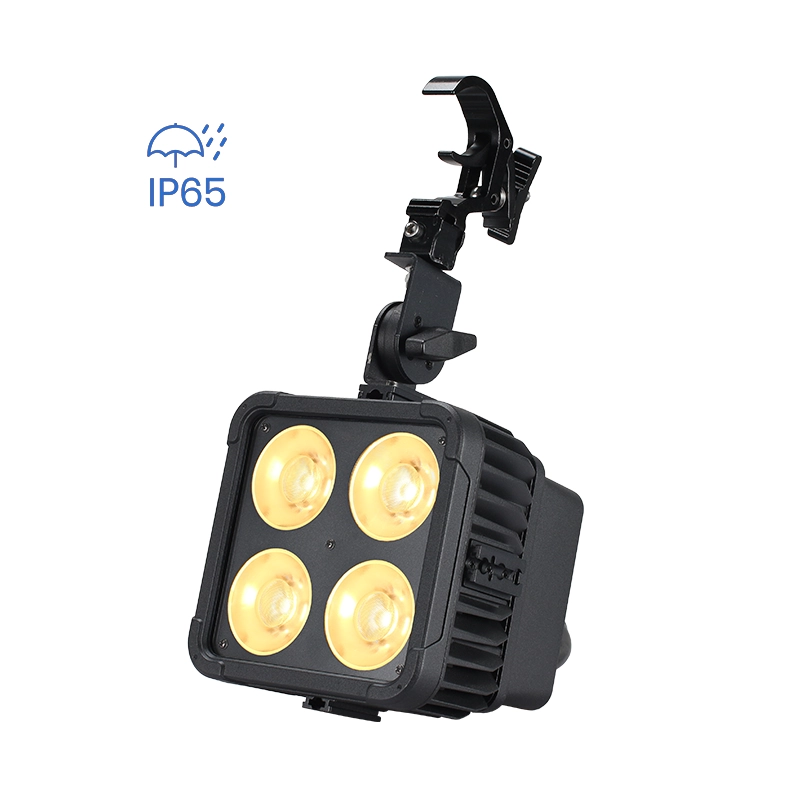
Magic Cube V8 IP
Want to get more up-to-date news?
If you have any comments or good suggestions, please leave us a message; later our professional staff will contact you as soon as possible.

We are professional stage lighting manufacturers offering OEM and ODM LED stage lights.
Contact
Email us
Call us
Address
No.6 Longnan Road, Huashan Town, Huadu District Guangzhou, Guangdong Province, China.
LiteLEES Professional
Less Lighting