
How to compare DMX and wireless control for LED stage lighting?
- 1) How many DMX channels and universes will I actually need for a 12 moving-head LED rig (with RGBW, gobos, and pan/tilt) on a 2-hour show?
- 2) When comparing DMX wired vs wireless for LED stage lighting, what are the real reliability risks and how do I mitigate them?
- 3) How does wireless interference (2.4GHz/5GHz) affect pixel-mapped LED strips and moving-head controllers at festivals, and what frequency strategies work?
- 4) What are real latency and frame rate considerations for pixel-mapped LED fixtures using Art-Net/sACN versus wireless DMX, and how will it affect tight visual-synced cues?
- 5) How do I size power, choose dimming curves, and set PWM frequency to avoid flicker on slow-motion/4K camera shoots with LED stage lights?
- 6) Which connectors, cables, and grounding practices prevent DMX dropouts and noise on long runs in live venues?
- Conclusion: Advantages of wired DMX and wireless control for LED stage lighting
As an industry professional with hands-on experience in LED stage lighting, this guide answers six long-tail, pain-point questions beginners and production buyers still find poorly covered online. The responses draw on DMX512 standards, Art-Net/sACN behavior, wireless DMX practice, and field-tested best practices for fixtures (LED PAR, moving head, pixel strip) to help you make purchase and deployment decisions with confidence.
1) How many DMX channels and universes will I actually need for a 12 moving-head LED rig (with RGBW, gobos, and pan/tilt) on a 2-hour show?
Don't estimate channels per fixture blindly — build a channel budget that includes all modes and future expansion. Typical steps and a realistic example:
- Inventory each fixture mode. Many moving-head LEDs offer multiple modes: 16-channel (full control), 12-channel (reduced), 8-channel (basic). Use the full 16-channel spec if you need color macros, full color wheels, pan/tilt fine resolution, shutter/strobe, gobos, prism and per-LED pixel control.
- Calculate per-fixture channels × fixture count. Example: 12 fixtures × 16 channels = 192 channels.
- Account for non-fixture channels: house lights, fog machines, LED strips, FX partitions. Add a 15–25% headroom for cues, submasters, and future pixel-mapping (192 × 1.2 ≈ 230).
- Map universes: DMX512 provides 512 channels per universe. 230 channels fit in one universe; but for better isolation and reliability split by function (e.g., moving heads universe 1, LED wash universe 2). For pixel-mapped LED strips, you will likely need many channels — a single 5m RGBW LED pixel strip with 60 pixels uses 60 × 4 = 240 channels, which already consumes half a universe.
Practical purchasing tips:
- If you expect pixel mapping or per-pixel control, plan for multiple universes and use Art-Net/sACN over gigabit Ethernet switches (CAT5e/CAT6).
- Buy lighting desks or media servers that support multiple universes natively (physical DMX + Art-Net/sACN outputs). Many modern desks provide 4–8 universes onboard; media servers can support dozens.
- Document channel maps and lock them into show files; avoid mode switching on fixtures during a tour to prevent unexpected channel reassignments.
2) When comparing DMX wired vs wireless for LED stage lighting, what are the real reliability risks and how do I mitigate them?
Wired DMX (RS-485/DMX512) remains the benchmark for predictable, low-latency control. Wireless adds convenience but introduces risks — interference, signal loss, and increased complexity. Key risks and mitigations:
- Interference and congestion: Consumer Wi‑Fi, BLE, and other 2.4GHz devices can crowd the band. Mitigation: use licensed or robust professional Wireless DMX systems (proprietary 2.4GHz adaptive hopping solutions or 5GHz variants), place transmitters with good line-of-sight, and use diversity receivers with external antennas.
- Range and line-of-sight: Metal trusses, stage scenery, and dense crowds attenuate RF. Mitigation: plan emitter/receiver placement for minimal obstruction and use repeater nodes or multiple transmitter/receiver pairs with redundancy.
- Latency and packet loss: Wireless introduces variable latency. Mitigation: choose proven commercial systems (e.g., adaptive-hopping wireless DMX products) and test your full cue stack under show conditions before the event.
- RDM and configuration limitations: Some wireless bridges restrict RDM/remote device management. Mitigation: keep initial addressing and RDM configuration on a wired connection, or use wireless systems that explicitly support RDM tunneling.
- Power and battery risk for battery-powered wireless fixtures: Monitor runtime and charging cycles; use hot-swappable batteries or wired power for mission-critical fixtures.
Rule of thumb: use wired DMX for infrastructure-critical runs (mix/FOH areas, long daisy-chains, and where RDM is needed). Use wireless DMX to eliminate temporary cable runs, for small to medium festivals, or where truss access makes cabling impractical — but always provide wired backup or redundant RF links for headline shows.
3) How does wireless interference (2.4GHz/5GHz) affect pixel-mapped LED strips and moving-head controllers at festivals, and what frequency strategies work?
Pixel-mapped fixtures are highly sensitive to packet jitter and drop because a missed frame shows as visual glitches across many pixels. Festivals are RF-hostile environments (Wi‑Fi APs, broadcast, and other production wireless). Practical strategies:
- Prefer deterministic transport for heavy pixel loads: where possible, use Art-Net/sACN over wired gigabit networks for pixel mapping. Ethernet gives predictable throughput and supports multiple universes without the RF chaos.
- If wireless is necessary, select professional wireless DMX solutions designed for high-density events. These systems use interference-avoiding techniques (adaptive frequency hopping, error correction, channel bonding). LumenRadio CRMX-brand approaches are industry examples of robust RF handling — evaluate vendor specs for packet error rate (PER) and retransmission behavior.
- Use network segmentation: for Wi‑Fi networks at the festival, isolate production and public networks. Enable QoS and reserve downstream bandwidth for lighting control where applicable.
- Reduce RF crowding by choosing 5GHz-based links when available. 5GHz has more channels and less interference but shorter range and poorer penetration; for line-of-sight links it often performs better than congested 2.4GHz bands.
- Always perform a full RF site survey during load-in and do a dry run with the full pixel map active at full white/brightness to identify glitches.
Bottom line: pixel mapping over wireless is feasible but riskier; wired Ethernet and sACN/Art-Net are the safer option for large pixel counts at festival scale.
4) What are real latency and frame rate considerations for pixel-mapped LED fixtures using Art-Net/sACN versus wireless DMX, and how will it affect tight visual-synced cues?
Latency affects cue timing and synchronization between lights, video, and audio. Consider these practical points:
- DMX512 wired latency: traditional DMX is essentially immediate for most cues; per-universe refresh depends on frame size but is typically tens of milliseconds. For moving heads and color changes, wired DMX gives consistent deterministic behavior.
- Art-Net/sACN over Ethernet: can deliver higher frame rates and lower per-pixel latency because you can stream multiple universes concurrently over gigabit. With a well-designed network and managed switches (IGMP snooping for multicast), frame-to-output latency can be sub-10ms for typical lighting tasks.
- Wireless DMX latency: depends on the protocol and congestion. Expect additional latency compared to wired DMX — commonly a few milliseconds to tens of milliseconds. For tightly synchronized strobe or beat-synced events, test the specific wireless solution; some pro wireless systems can achieve latency low enough for most live cues, but synchronization under heavy RF load can degrade.
- Pixel-mapping considerations: pixel frames must be rebuilt and sent per frame; ensure your media server and network can handle required FPS. For smooth motion, target at least 30–60 FPS for pixel content; for fine timing with music, synchronize via SMPTE or a timecode distribution rather than relying solely on packet arrival timing.
Recommendation: for rhythmically tight visual work (show-locked effects, timecode), wire timing-critical devices wherever possible and use timecode or external sync (MIDI/SMPTE) to coordinate media servers with the lighting console. If using wireless, always test under production RF conditions and add buffer timing in cues to account for jitter.
5) How do I size power, choose dimming curves, and set PWM frequency to avoid flicker on slow-motion/4K camera shoots with LED stage lights?
Flicker is a frequent cause of frustration when LED stage lights are used in broadcast and camera-sensitive environments. Key technical controls:
- Driver type and PWM frequency: many LED fixtures dim using PWM at frequencies ranging from a few hundred Hz to tens of kHz. To avoid camera-visible flicker and rolling-shutter artifacts at high frame rates (60–240 fps), use fixtures with high PWM frequencies (ideally >10 kHz) or constant-current drivers designed for film. Manufacturer specs should list PWM frequency or “flicker-free” performance at broadcast frame rates.
- Dimming curves: theatrical scenes often assume logarithmic (or square-law) dimming; video production may prefer linear output relative to DMX value to maintain consistent exposure. Choose consoles/fixtures that allow selecting dimming curve (linear, square, S-curve) and frame-rate-friendly dimming profiles.
- Power headroom: calculate fixture current draw at maximum output and add 20–30% headroom per circuit for inrush. For example, LED wash fixtures and pixel strips can have high peak currents when all LEDs are full white. Use properly rated power distribution (PowerCON, Neutrik) and avoid combining long power runs with high voltage drop; use thicker gauge cable for runs >10–20m depending on load.
- Testing: always test fixtures on-camera at intended frame rates and shutter speeds during tech. That will reveal subtle PWM-related banding invisible to the eye but obvious on high-speed cameras.
If your production regularly involves broadcast or slow-motion capture, specify “broadcast-grade, flicker-free driver” in procurement and request manufacturer test footage at target frame rates as part of acceptance testing.
6) Which connectors, cables, and grounding practices prevent DMX dropouts and noise on long runs in live venues?
Good physical infrastructure prevents most DMX reliability issues. Practical, field-proven recommendations:
- Use proper DMX cable: DMX512 requires 120Ω impedance balanced cable (not microphone cable). Use cables labeled DMX512 or 120Ω AES/DMX rated. Avoid using mic cables for DMX daisy-chains over long distances.
- Max cable length and repeaters: following common practice, run DMX up to ~300 meters (1000 ft) without isolation; beyond that use DMX/RDM splitters or fiber uplinks. For very long runs, convert to optical fiber (Art-Net over fiber or DMX over fiber) to eliminate ground and noise issues.
- Terminate properly: always install a 120Ω DMX terminator at the end of the chain. Use DMX splitters (with isolation) for branching to avoid reflections and signal degradation.
- Grounding and mains segregation: avoid running DMX next to high-voltage power cables in parallel. Keep parallel runs to a minimum and cross at right angles if they must intersect. Ensure a single clean earth reference and avoid ground loops; when audio gear shares ground, maintain consistent grounding practices across production systems. If hum or noise persists, use isolated DMX splitters or opto-isolated interfaces.
- Connector choices: use rugged, locking XLR 5-pin for DMX where possible (5-pin preserves future expansion). Many fixtures accept 3-pin XLR but 5-pin is the standard for DMX512. Use quality Neutrik, Switchcraft, or equivalent connectors and locknuts on truss-mounted runs.
Routine maintenance: label both ends of every DMX run, document routing, and test with a DMX tester or handheld during load-in. Replace brittle cables and corroded connectors promptly — most intermittent dropouts are physical connector or cable failures.
Conclusion: Advantages of wired DMX and wireless control for LED stage lighting
Wired DMX and Ethernet-based Art-Net/sACN offer the most deterministic, low-jitter control suitable for high-channel counts, pixel mapping, and environments demanding RDM and broadcast-grade timing. They are preferable where permanent infrastructure, long runs, and maximum reliability matter. Wireless DMX (and Wi‑Fi/5GHz-based approaches) provide tremendous flexibility for temporary rigs, rapid deployments, and situations where cable runs are impractical — but they require professional-grade wireless hardware, RF planning, redundancy, and rigorous pre-show testing to match the perceived reliability of wired systems. In practice, a hybrid approach is common: wired backbone for universes and timing-critical devices, with wireless used selectively for fixtures that need mobility. Prioritize Art-Net/sACN for pixel-heavy rigs, choose flicker-free LED drivers for camera work, and always plan channel/ power headroom and redundancy into your system design.
For tailored bill-of-materials, channel budgeting, and a quote for fixtures, consoles, or wireless systems, contact us at www.litelees.com or litelees@litelees.com.
Company
Can LiteLEES handle OEM/ODM orders?
Absolutely. With our strong R&D capabilities and advanced manufacturing, we can customize designs, features, and branding to meet your specific needs.
What certifications do your products have?
All LiteLEES products are certified by CE, RoHS, FCC, and BIS. Our factory is ISO9001 quality management system certified.
What is LiteLEES’s main business?
LiteLEES specializes in the design, development, manufacturing, and sales of professional stage lighting, including moving head lights, beam lights, spot lights, wash lights, and LED par lights.
Products
Are your lights suitable for large-scale events and outdoor use?
Yes. Our professional stage lights—especially the Beam, BSW 3-in-1, and LED Par Series—are engineered with high-output brightness, wide beam angles, and robust housing. Some models come with IP-rated protection, making them suitable for outdoor applications like concerts, festivals, and sports events.
Can I customize the functions or software of the lights?
Absolutely. As a manufacturer with independent R&D capabilities, we offer customization for both hardware and software (such as DMX channel layout, built-in programs, or UI language). Contact us with your project needs, and our team will provide tailored solutions.
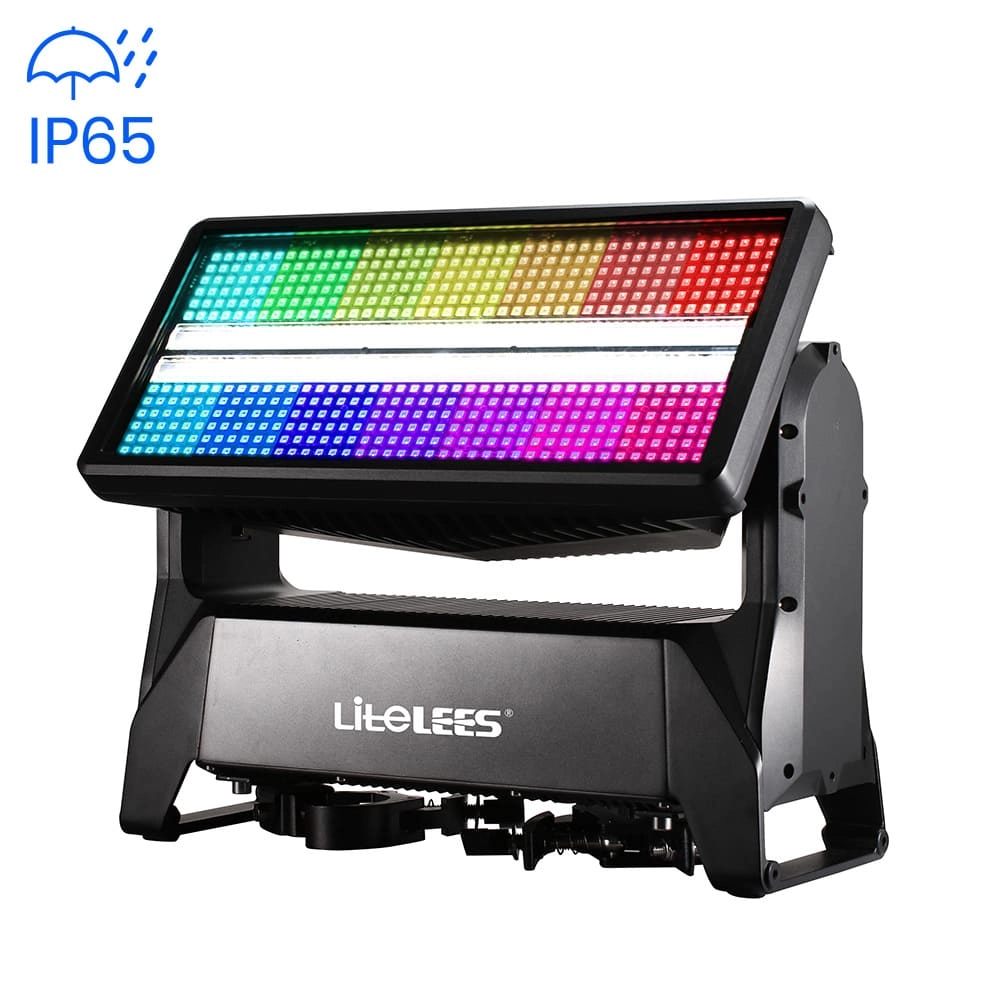
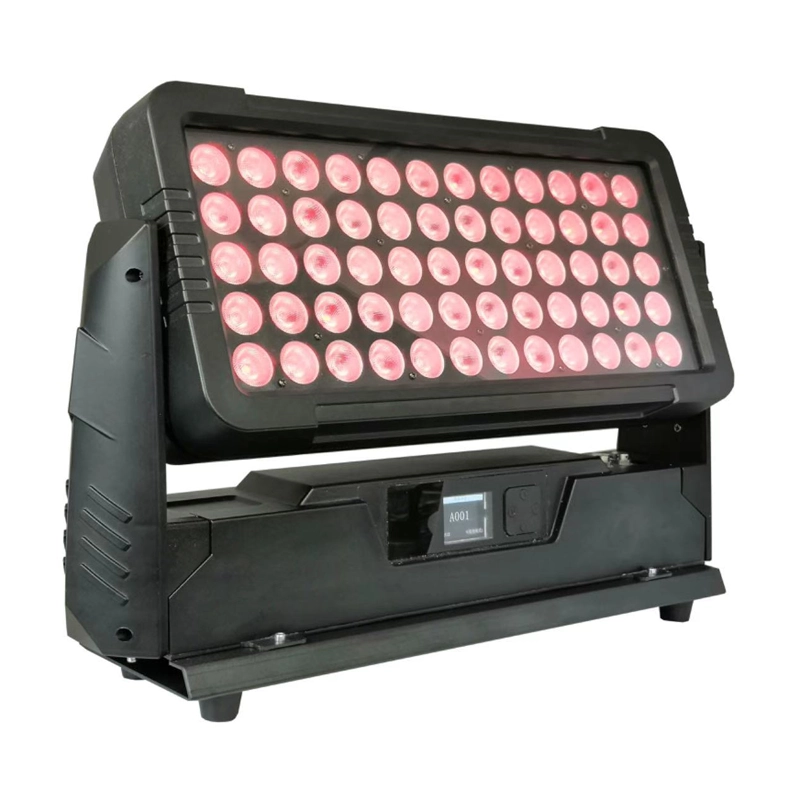
Stormy STRIKE M IP
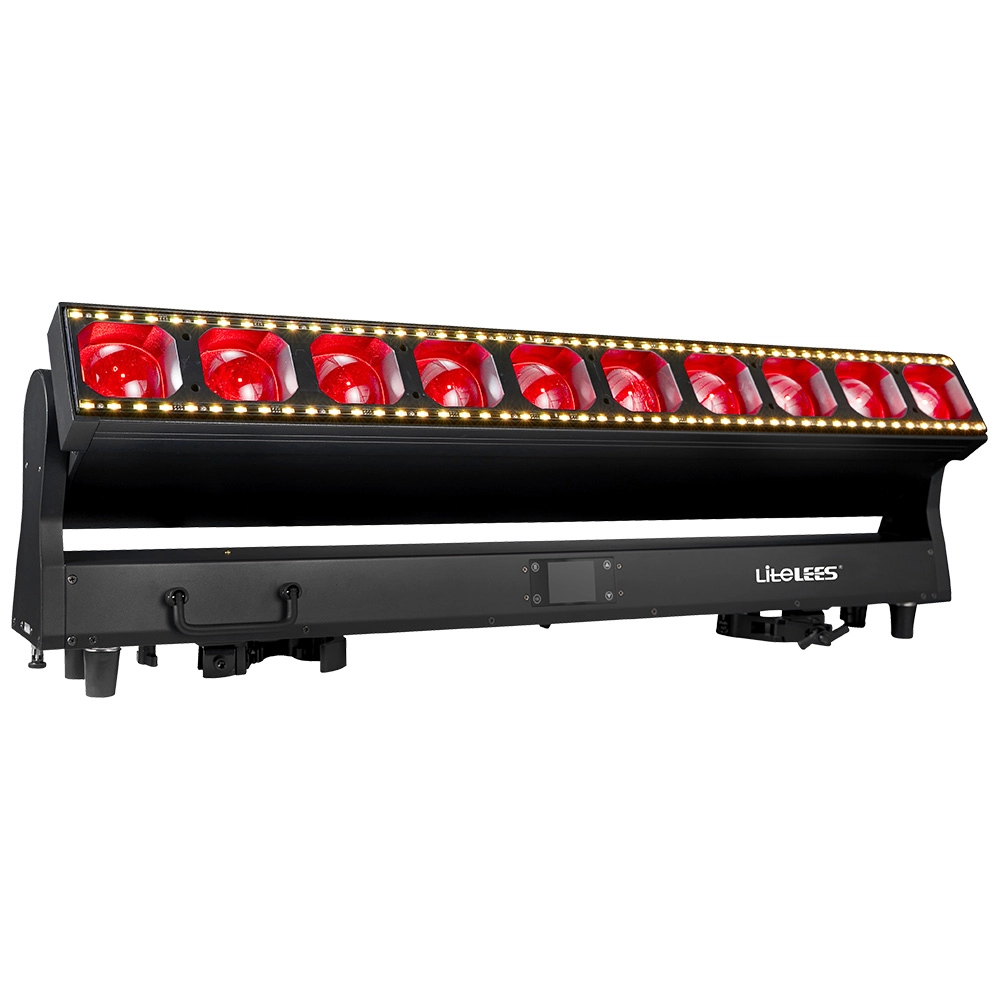
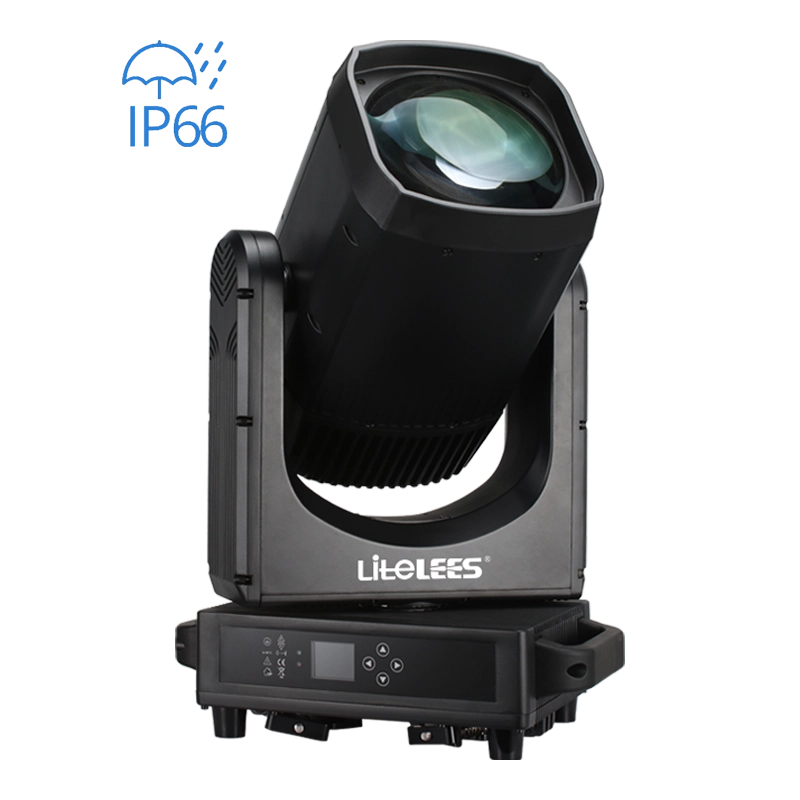
LiteLEES LUMIX BEAM 420 IP
Want to get more up-to-date news?
If you have any comments or good suggestions, please leave us a message; later our professional staff will contact you as soon as possible.

We are professional stage lighting manufacturers offering OEM and ODM LED stage lights.
Contact
Email us
Call us
Address
No.6 Longnan Road, Huashan Town, Huadu District Guangzhou, Guangdong Province, China.
LiteLEES Professional
Less Lighting